
Pharmacy chains
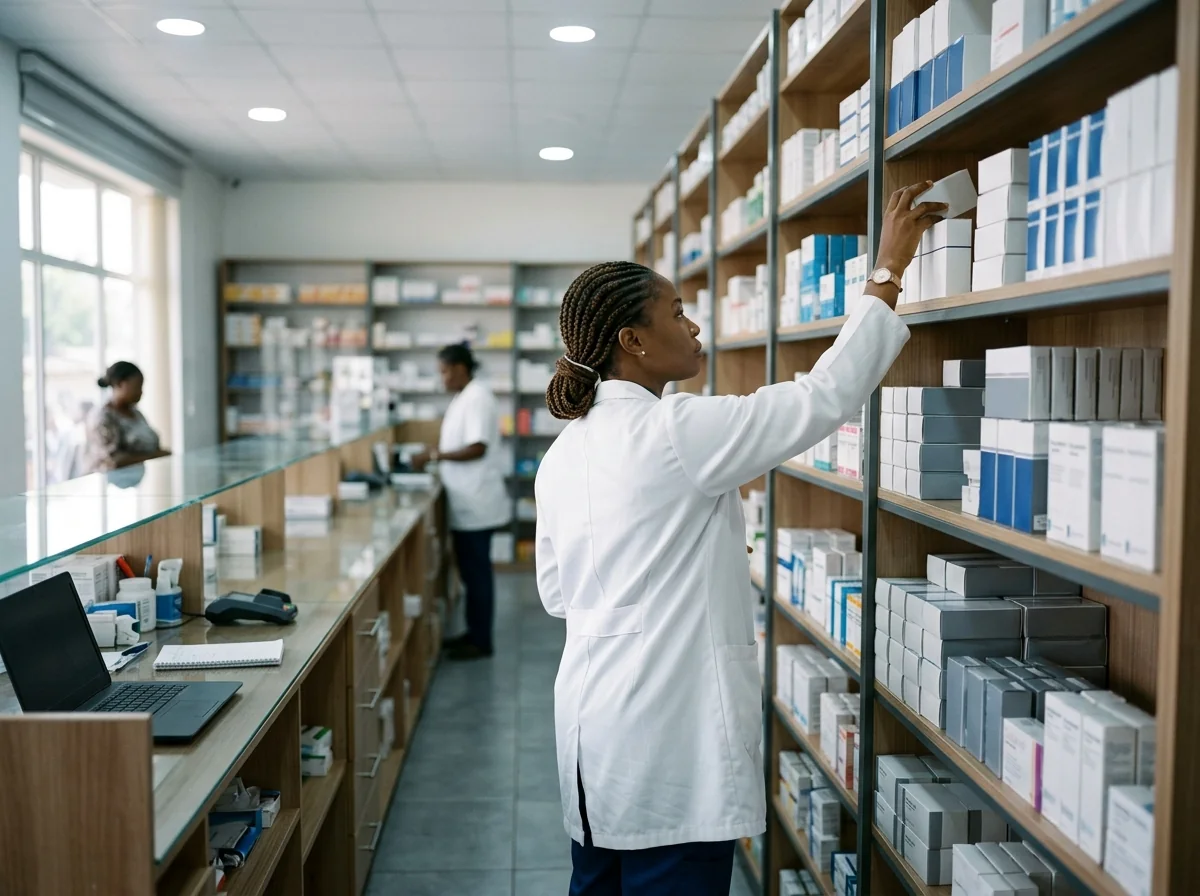
The same receiving check at every branch, and the lots you received listed by how soon they expire.
- Receiving across branches
- Expiry control
Medicine receiving checks
CorrectMED reads delivery notes and pack details, flags discrepancies, and checks batches against published NAFDAC alerts.
Try it free with your own delivery notes. Pilots in Abuja and Lagos.
The problem
Fake, substandard and short dated medicines move through the same distributors as good stock. Once they're mixed in with the rest, they're very hard to find.
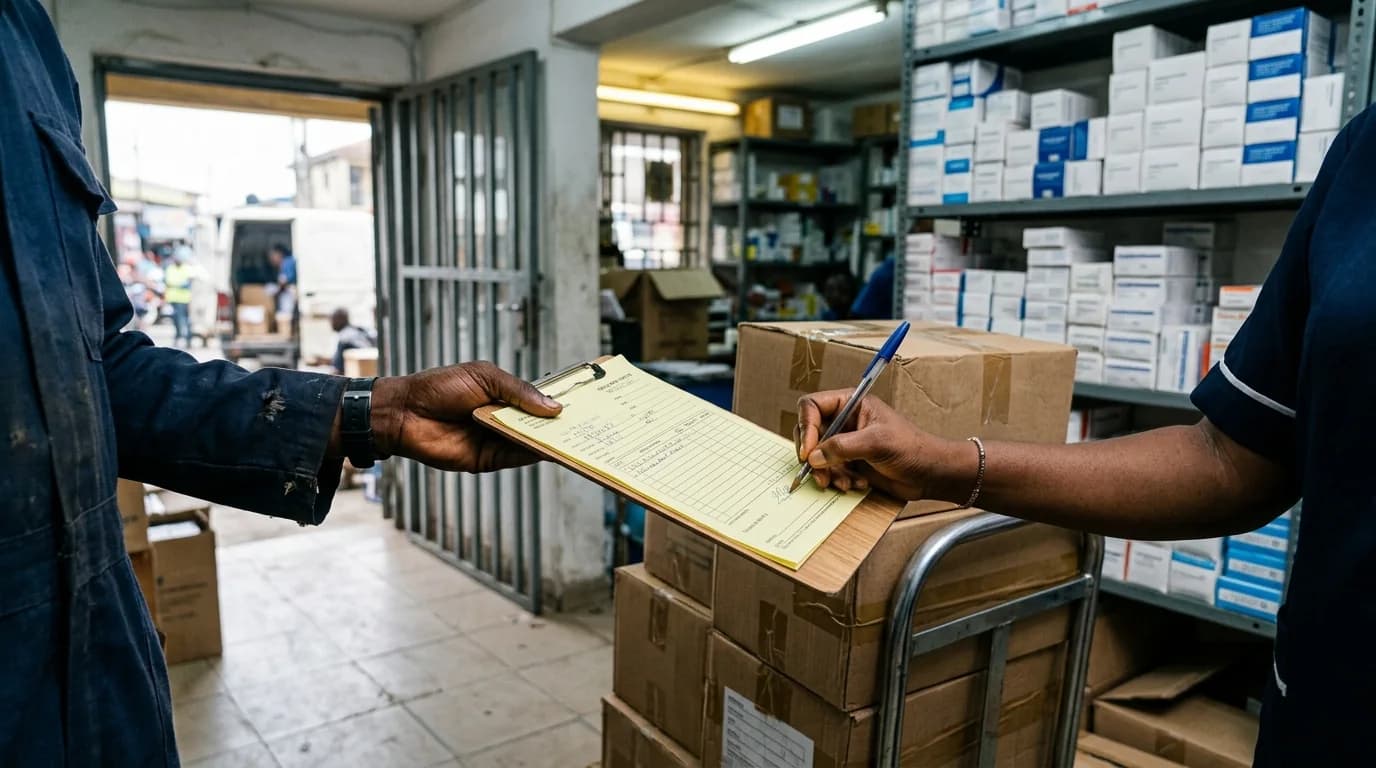
Most receiving desks check cartons by eye and tick the delivery note by hand. Short deliveries, wrong batches and stock that's about to expire get signed for every day.
When that happens, the pharmacy or distributor carries the blame, the patient gets medicine that doesn't work, and regulators can't inspect every delivery to catch it.
US$30.5bn
spent by countries every year on substandard and falsified medical products.
WHO estimate, fact sheet of 3 December 2024
At receiving, where speed matters more than a careful look. Once it's signed for, it's your stock.
There are too many deliveries, products and suppliers for anyone to check by hand, every single day.
How it works
Try it free in a sandbox workspace. It runs in a phone or computer browser, with nothing to install at the receiving desk.
Photograph the delivery note, then up to six packs: the front, the back or the batch panel. Any phone or computer browser works.
CorrectMED AI reads product, strength, form, pack size, batch, expiry and quantity, and shows each value beside the part of the photo it came from.
You enter what you counted. Fixed rules compare quantities, batches and expiry dates with the note, and match batches against published NAFDAC alerts.
An admin or pharmacist accepts, part accepts, quarantines or rejects each line with a reason. The receipt is saved, and you can print it, export it and find it again.
Proof
Three separate test accounts (an admin, a receiver and a pharmacist), driven by a script in three browser sessions, ran a whole receiving check in the app: sign up, invite, read, count, check, decide, report and amend. 18 of 18 steps passed.
01 · Receiver
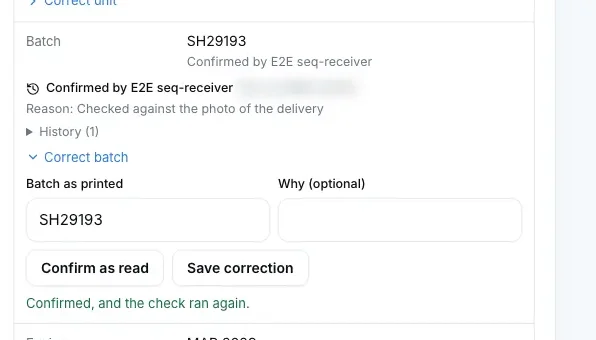
Each value sits beside the photo it came from. The receiver confirms the batch against the delivery photo, and the history keeps what CorrectMED AI first read, who confirmed it and why. No value was unclear in this run, so one was confirmed rather than corrected.
02 · Receiver
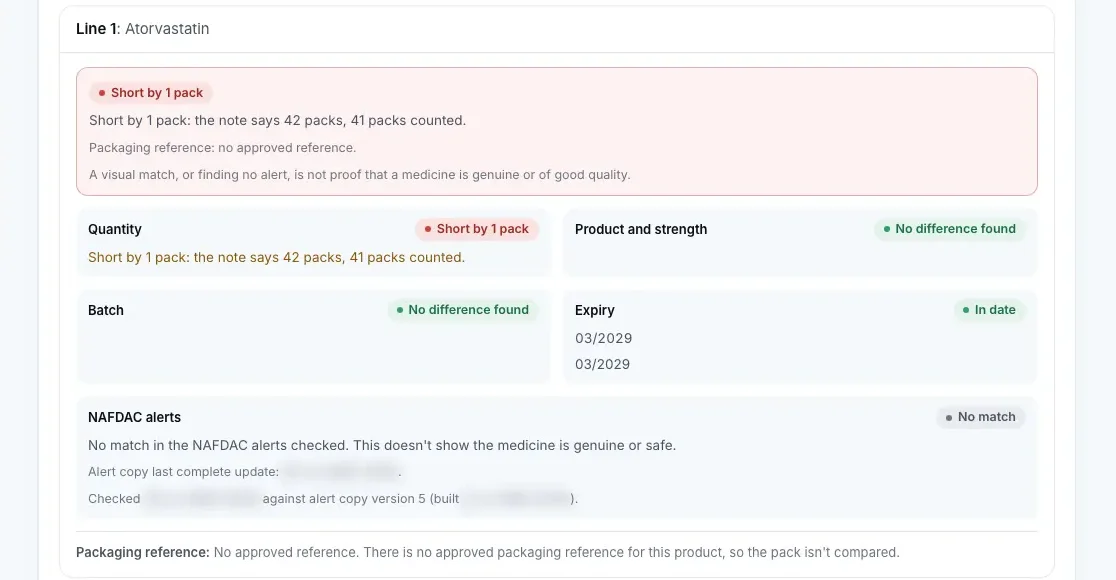
Each line gets six separate findings. Line 1 shows Short by 1 pack, and the lines that match say only that nothing differs. A visual match, or finding no alert, is not proof that a medicine is genuine or of good quality.
03 · Receiver
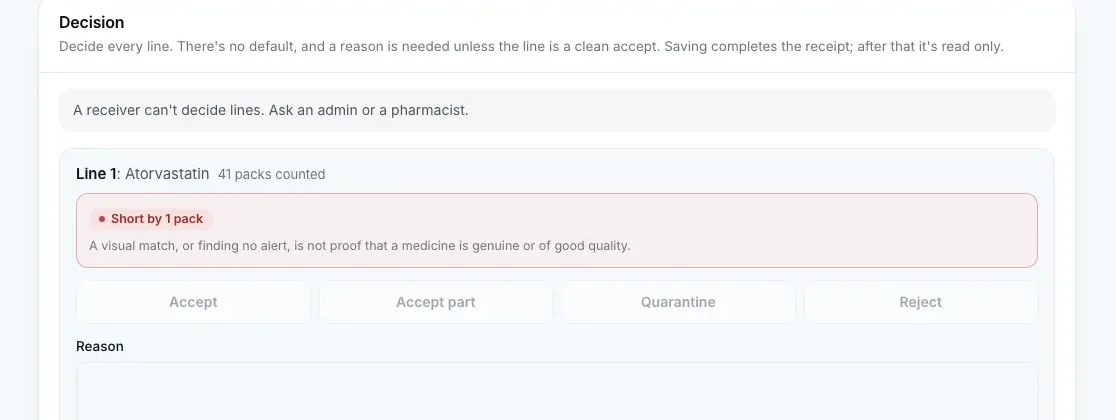
The page offers a receiver no decision, and the server refuses it with a 403 if the call is made anyway. Nothing is recorded.
04 · Pharmacist
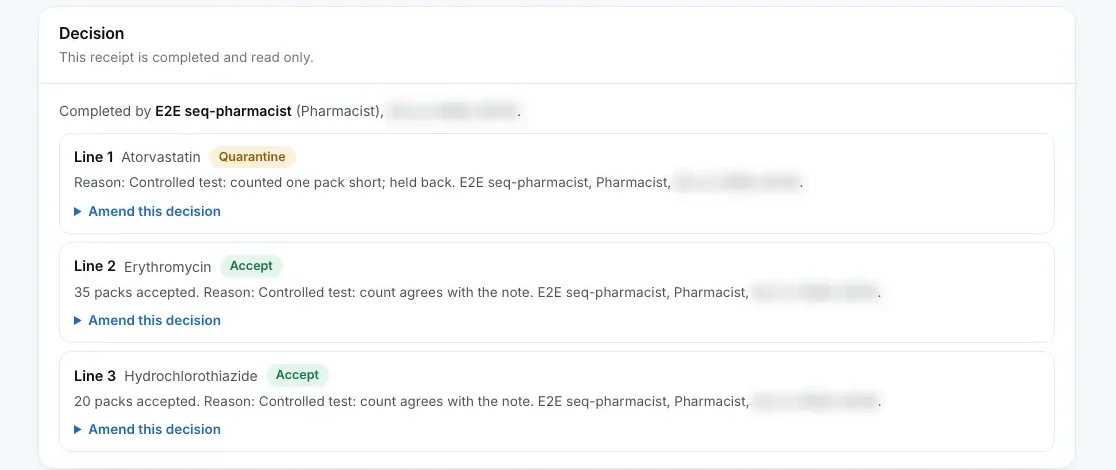
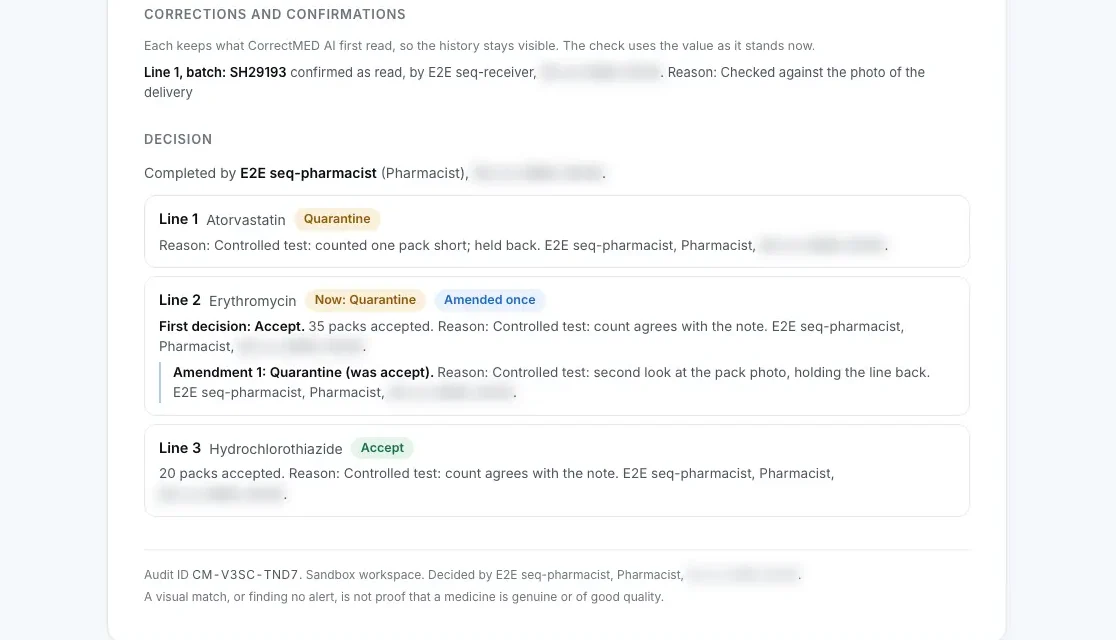
Every line is decided with a reason and the receipt is completed and read only. After signing out and in again, the photos, readings, counts, checks and decisions are the same.
05 · Pharmacist
The pharmacist changes line 2 from accept to quarantine with a reason. The first decision stays as it was and the amendment is added after it. The report and the CSV carry both.
Dashboard
Sign in and see what's waiting, what's done and how current the alert check is. This is the app's own home screen, in a sandbox workspace with sample deliveries.
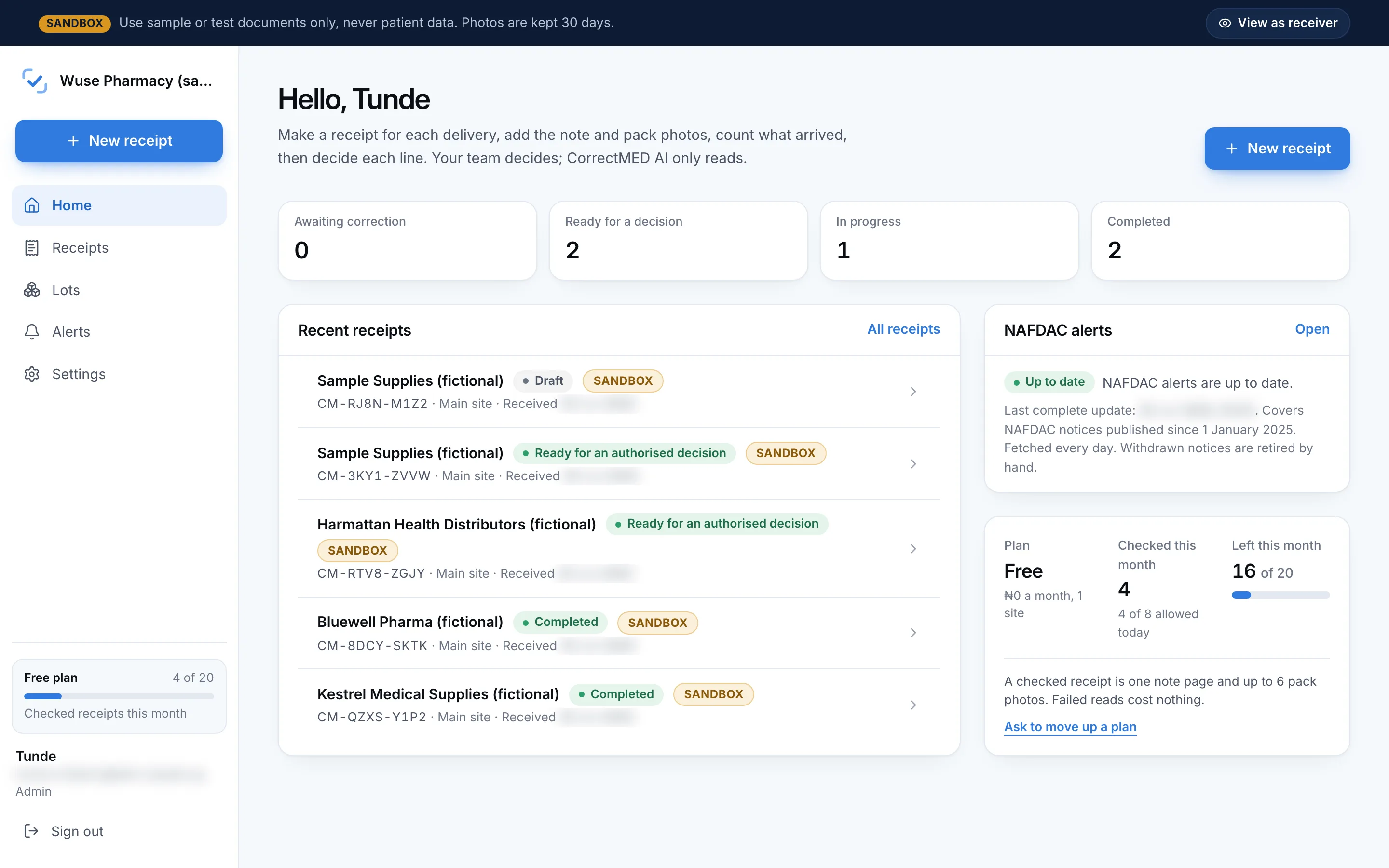
Ready for a decision
Receipts that are read and counted, ready for a pharmacist to accept, quarantine or reject each line.
Recent receipts
Every delivery with its supplier, site, status and audit ID. Open one to see the photos, reads and checks.
NAFDAC alerts
When the alert copy was last updated, so you know how current the recall check is.
Usage
Checked receipts used this month, and how many your plan has left.
Case study
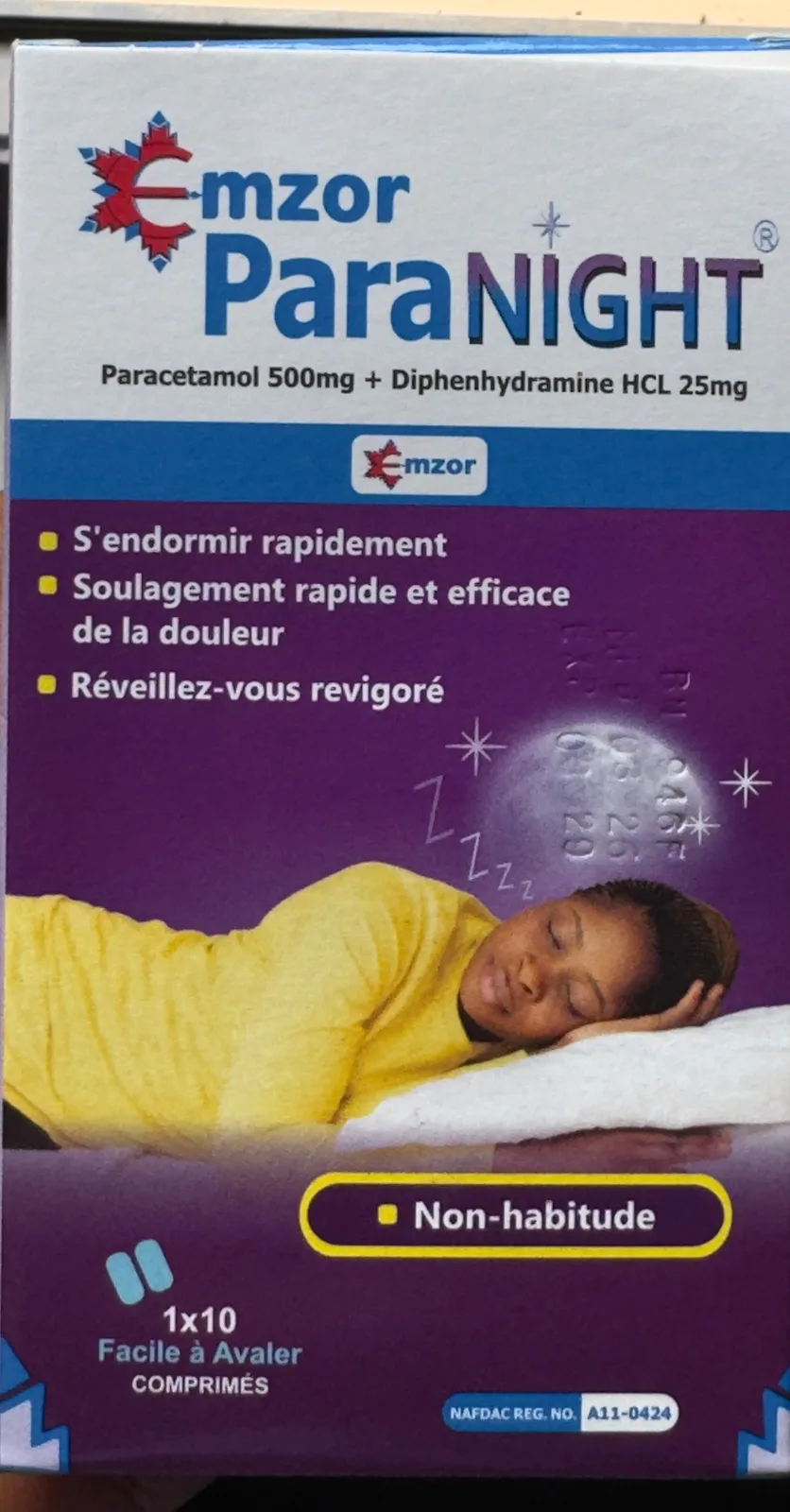
The team bought them over the counter in Abuja with one itemised receipt, photographed the receipt and the packs and ran them through CorrectMED. The page shows what came back, mistakes and unreadable print included.
5
photos read
One receipt and 4 pack photos, each read once.
3
receipt lines checked
As first returned: 2 Reference unavailable, 1 Unable to assess. The app now shows six separate findings per line.
4 of 33
printed values wrong
2 were misreads. 2 were unclear and wrong. 36 more fields were correctly left blank. One value was invented where nothing is printed.
What it does
Short deliveries, wrong batches and stock close to expiry happen every week, so the check is built for every delivery, not just the suspicious ones.
Batches are matched against published NAFDAC notices, as exact or uncertain, with the source and its dates. An uncertain match goes to a person to review.
Pack photo
Amoxicillin
500 mg capsules
21 capsules
NAFDAC alert
Sample notice
Amoxicillin
500 mg capsules
The delivery note is matched to what your team counted, in packs, so short deliveries, wrong batches and wrong expiry dates show up before you accept.
Every lot you accept is recorded with its batch and expiry, grouped as expired, 30, 60 and 90 days. It shows lots received, not stock on hand.
Grouped by expiryExpired, then within 30, 60 and 90 days, from every receipt you complete.
An admin or pharmacist accepts, part accepts, quarantines or rejects each line with a reason. The receipt is saved, and you can print it or export it.
Each chip is the live service check for that job, the same one the status list below uses.
Results
CorrectMED AI only reads. Fixed rules write six separate findings for each line, with the evidence behind them, and your team makes the decision.
01 · Quantity
Your count against the note, in packs: short, over, nothing arrived, or the count agrees. Agreeing says only that nothing differs.
02 · Product and strength
Against the note and the pack photo linked to the line. A difference is shown; a value that can't be read goes to a person.
03 · Batch
On the pack against the note. A batch that differs, or can't be read, is shown with its reason and never passed.
04 · Expiry
In date, short dated, expired, or a date that reads two ways, on the pack against the note.
05 · NAFDAC alerts
A published alert match with its number and link, a possible match for a person to review, or no match. No match says nothing about the medicine itself.
06 · Packaging reference
A quiet note: an approved reference exists for the product, or it doesn't. It never leads and never hides another finding.
What a finding isn't
A visual match, or finding no alert, is not proof that a medicine is genuine or of good quality. Laboratory testing, regulatory inspection and a pharmacist's judgement remain the standard.
Status
Each check shows its service live. Operational means every service it needs answered recently; if one stops answering, the row says Unavailable on its own.
Sign in and saved records
Workspaces with four roles, receipts you can find again after signing back in, and a log of every change.
Reading delivery notes
CorrectMED AI reads each printed line of a note and shows the part of the photo every value came from.
Reading packs
Product, strength, batch, expiry, NAFDAC number and manufacturer from your photos of each pack.
Receiving rules
Quantities compared in packs against your team's count; strength, form and pack size; batch and expiry against the note; short dated stock, unclear dates and reused photos.
NAFDAC recalls and alerts
Batches matched against published NAFDAC notices, as exact or uncertain, with the source and its dates.
Decisions, reports and export
Accept, accept part, quarantine or reject each line with a reason, then print the report or export a CSV.
Received lots by expiry
Every lot you accept, grouped as expired, 30, 60 and 90 days to expiry.
Covers NAFDAC notices published since 1 January 2025. Fetched every day. Withdrawn notices are retired by hand.
How it's built. CorrectMED AI is at the core: it reads every delivery note and pack, on Google Cloud in the EU. CorrectMED's receiving checks then compare quantities, batches and alerts the same way every time, and write the report. As more pharmacies sign up, we plan to run document reading and photo storage on Microsoft Azure. How CorrectMED AI is used
The app
The receiving report and the receipts list, drawn from the app's screens with sample data in a sandbox workspace. Nothing here is a real delivery.
Sandbox workspace: sample data, photos kept 30 days
Receipt
Distributor A · DN 40918 · Wuse branch · Amina O. · Today, 14:32
Alerts
2
Differences
2
Needs a person
1
No differences found
1
Receiving report. One screen for each delivery. Every line shows six separate findings under one plain summary, differences from the note stand out, and an admin or pharmacist decides each line with a reason.
Sandbox workspace: sample data, photos kept 30 days
Records
CM-7F3K-92QXToday 14:32
Distributor A · Wuse · Amina O.
Awaiting decision· 6 lines, 7 photos
CM-4H8D-11PLToday 11:05
Wholesaler C · Wuse · Tunde B.
All lines accepted· 7 lines, 5 photos
CM-9B2R-54TAYesterday 16:48
Distributor B · Wuse · Ngozi E.
2 lines rejected· 15 lines, 7 photos
CM-2M6J-08WXYesterday 09:12
Importer E · Wuse · Sani M.
All lines accepted· 9 lines, 4 photos
CM-5T1Q-77KEMon 15:20
Distributor A · Wuse · Amina O.
1 line quarantined· 10 lines, 6 photos
Receipts. Every receipt on file, with its audit ID, supplier, who received it and how it was decided. Export any of them to CSV.
Who it is for
The same receiving check at every branch, and the lots you received listed by how soon they expire.
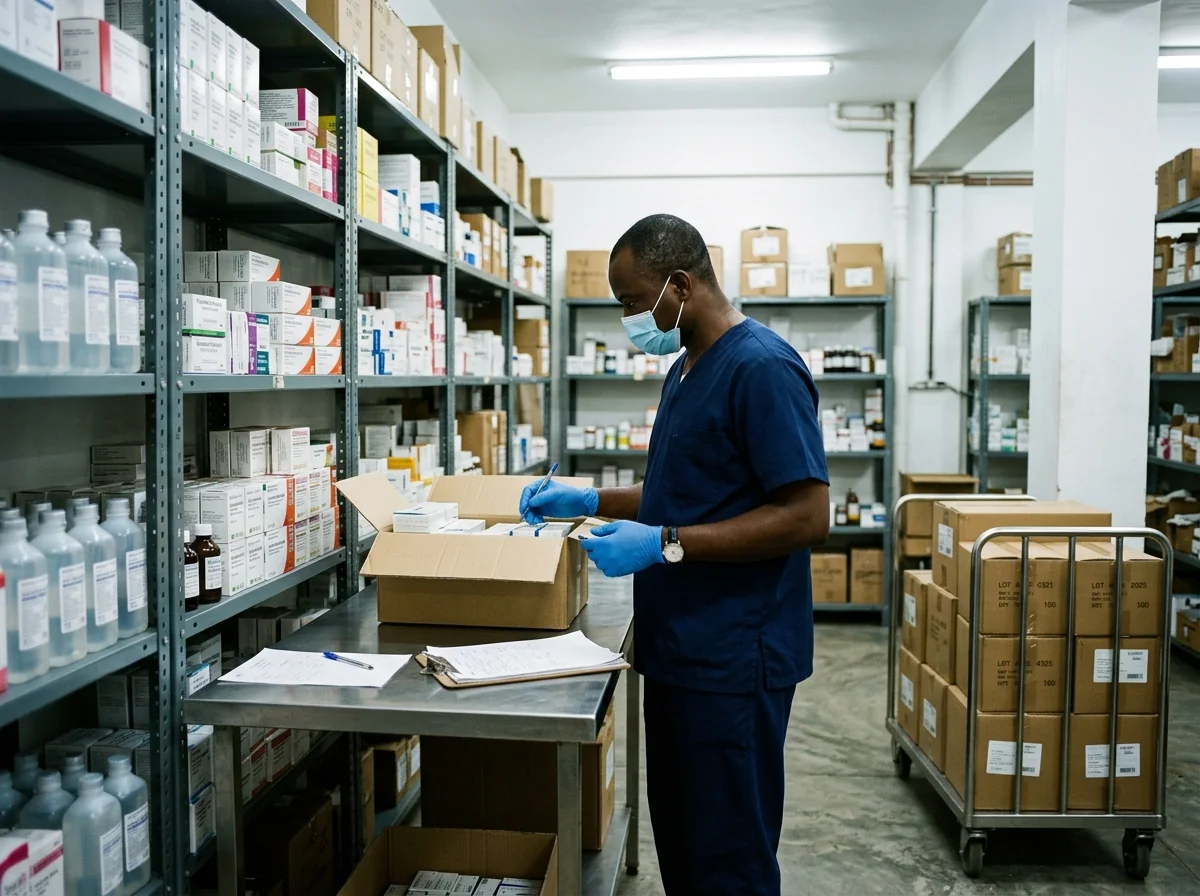
Check deliveries at the hospital store before anything goes to the wards, across every site you run.
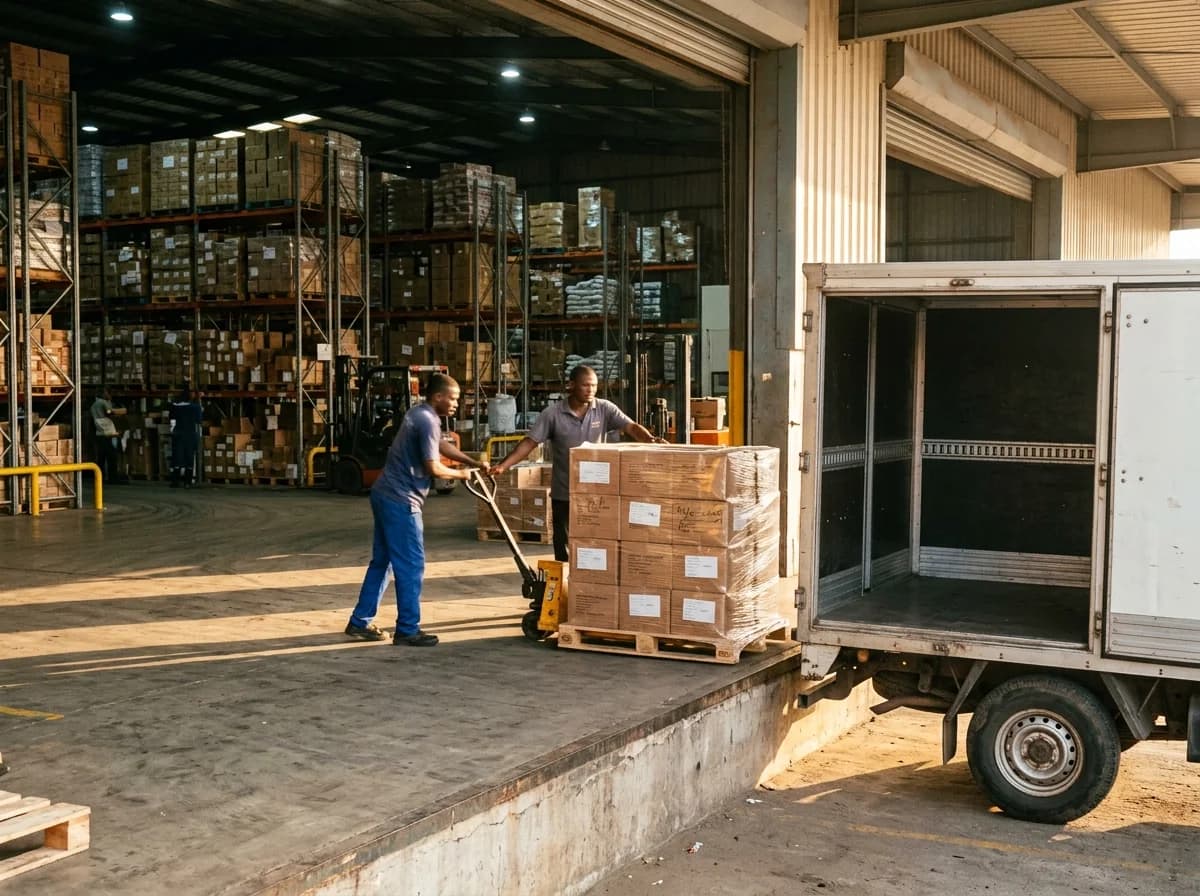
Check what comes in at the warehouse door against the delivery note, line by line, before you sign for it.
Pricing
Start free in a sandbox workspace with your own delivery notes. Move up a plan when you need more checked receipts or more sites.
₦0 a month
Try the whole check on your own delivery notes: 20 checked receipts a month at one site.
Try it free
₦25,000 a month (about $18)
For one pharmacy or store: 100 checked receipts a month at one site.
Try it free
₦90,000 a month (about $64)
For a small chain: 350 checked receipts a month across 3 sites.
Try it free
from ₦250,000 a month (about $177)
For hospital groups and distributors: 1,200 checked receipts a month across 10 sites, or more agreed in writing.
Talk to usPrices exclude VAT. Month to month.
Sign up with no card.
The pilot, for one receiving desk that wants help setting up.
For one receiving desk that wants help setting up. The same terms are in the Terms of use.
Team
CorrectMED is built in Abuja, Nigeria.

FounderAbuja, Nigeria
Physiologist at Trust Charitos Hospital, Abuja, with a B.Sc. in Physiology from Bingham University. He started CorrectMED after seeing how much depends on the medicine that reaches a ward being exactly what was ordered.
Qualifications

CTOLagos, Nigeria
Responsible for engineering: the receiving app, the AI that reads notes and packs, cloud infrastructure and security.
Software developer and technical founder. He is founder and CTO of Shopivol, and before that built React Native apps and wrote technical documentation for software companies in the United States and Europe.

Pharmacy lead
Pharmacist and public health researcher, RSTMH 2023 grant awardee and CABLE '24 Scholar. Leads the receiving rules and the NAFDAC alert reviews.

Sales and partnerships
Enterprise account manager and technical sales lead in B2B SaaS and financial services. Works with pharmacies, hospitals and distributors.

AI and data engineer
AI software (backend) engineer and data scientist. Works on how CorrectMED AI reads notes and packs, and on its accuracy tests.

Full stack engineer
Software engineer and full stack developer with an interest in AI and ML, and experience as a program manager. Builds the receiving app.

Customer success
Customer success manager focused on support, loyalty and retention. Gets receiving teams started and supports them.

Regulatory and quality
Regulatory affairs specialist and biochemist, with quality assurance and public health experience. Follows NAFDAC rules and quality requirements.
Trust and data
These rules apply in every workspace, the free sandbox included. We never sell your records.
Photos, documents and receiving records are encrypted on the way to us and while they're stored.
Admin, Pharmacist, Receiver and Viewer. Only an admin or a pharmacist decides a line, and each person sees and changes only what their role allows.
Completed receipts are read only. Before that, every count and correction is kept with who made it, when and the value it replaced, and every decision and export is logged.
Records and photos are stored in Google Cloud's EU region. Sign in uses Google's global service.
Sandbox photos go after 30 days and sandbox receipts 90 days after their last activity. Otherwise photos are kept 12 months and records 6 years, or until you ask us to delete them.
You're the controller of your receiving data and we process it for you. The people it's about can use every right the Act gives them.
They require the batch, expiry and serial number on every level of packaging, shared along the supply chain, with enforcement in phases from January 2027. Receiving is where that data gets checked first. Source: GS1 Nigeria Phases
Get started
Open a free sandbox workspace and check your own delivery notes today. Or tell us about your receiving desk, and we'll reply by email about a 60 day pilot in Abuja or Lagos.